Командные аккаунты
A Team lets you work together with your coworkers: invite them, share projects and spend credits from one shared balance.
Open Team in the main menu on the left (sidebar).
Примечание
We highly encourage you to use a Team if you work with other coworkers and manage multiple projects. Feel free to contact our support, so we can assist you in setting up a Team workflow.
How it works
There are two roles in a Team:
Admin – invites users and manages the Team balance. The Admin’s balance is the Team’s balance.
User – joins the Team by invitation and spends the Team’s credits.
Invite team members
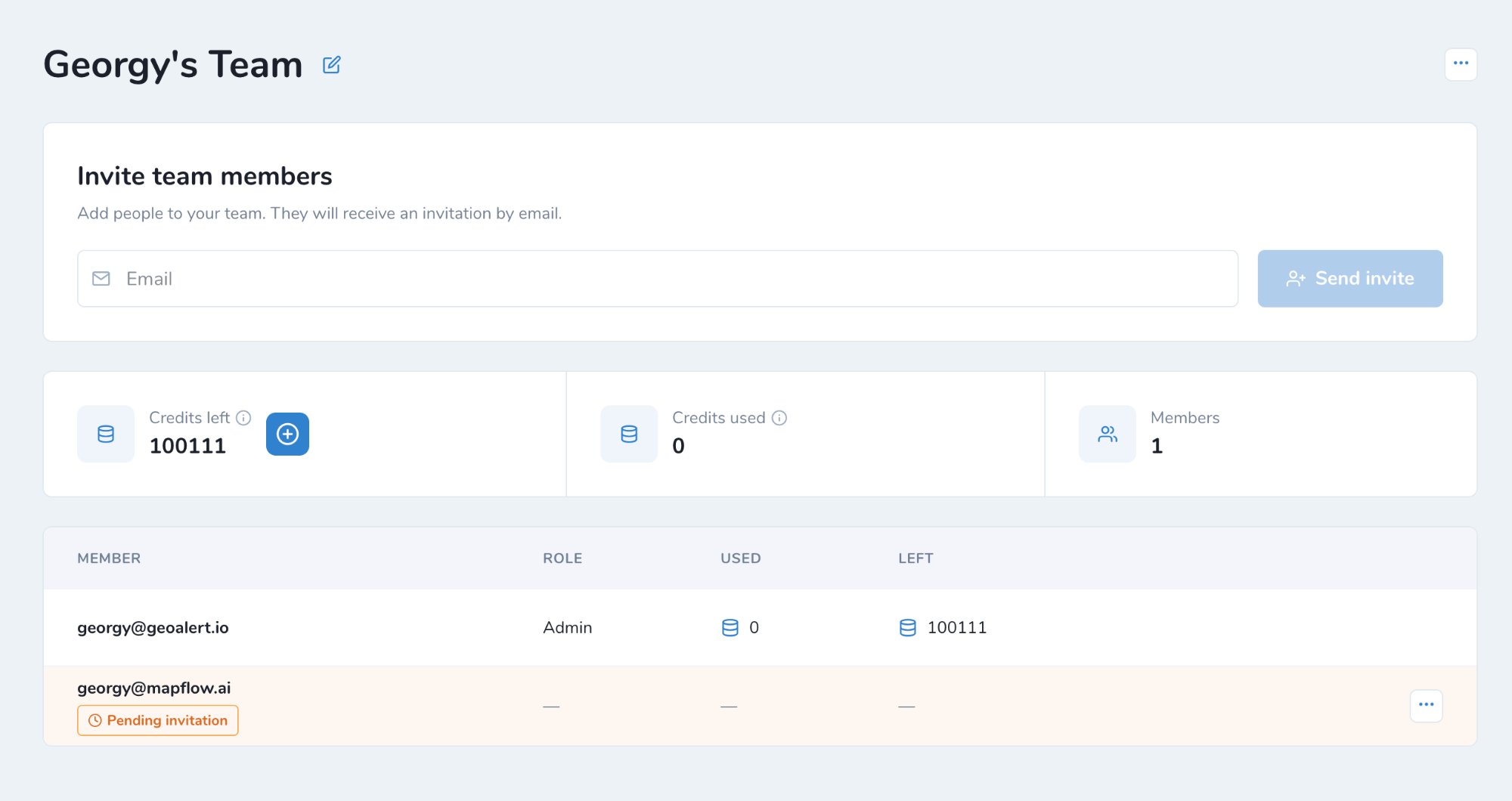
Enter the user’s email in Invite team members.
Click Send invite. The user receives the invitation by email.
Until the user accepts it, they are shown in the members list as Pending invitation.
Примечание
If the user is not registered at Mapflow yet, they can join the Team after signing up.
Join a Team
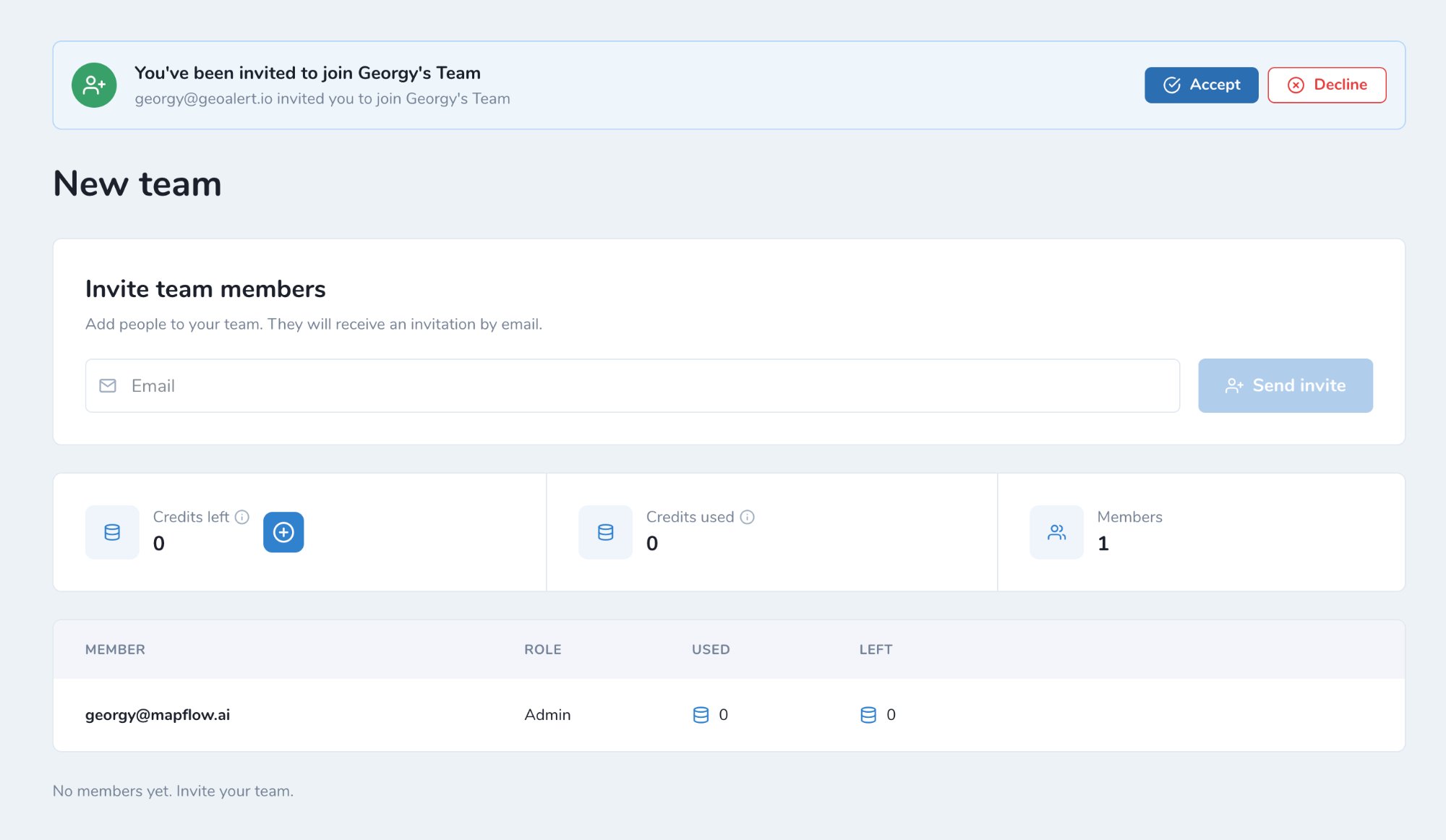
The invited user sees the invitation at the top of the Team page.
Click Accept to join the Team, or Decline to reject the invitation.
After joining the Team:
You spend the Team’s credits.
Your personal balance stays untouched.
You can’t create your own Team as long as you stay in this one.
Manage Team balance
The Admin manages the balance of the whole Team:
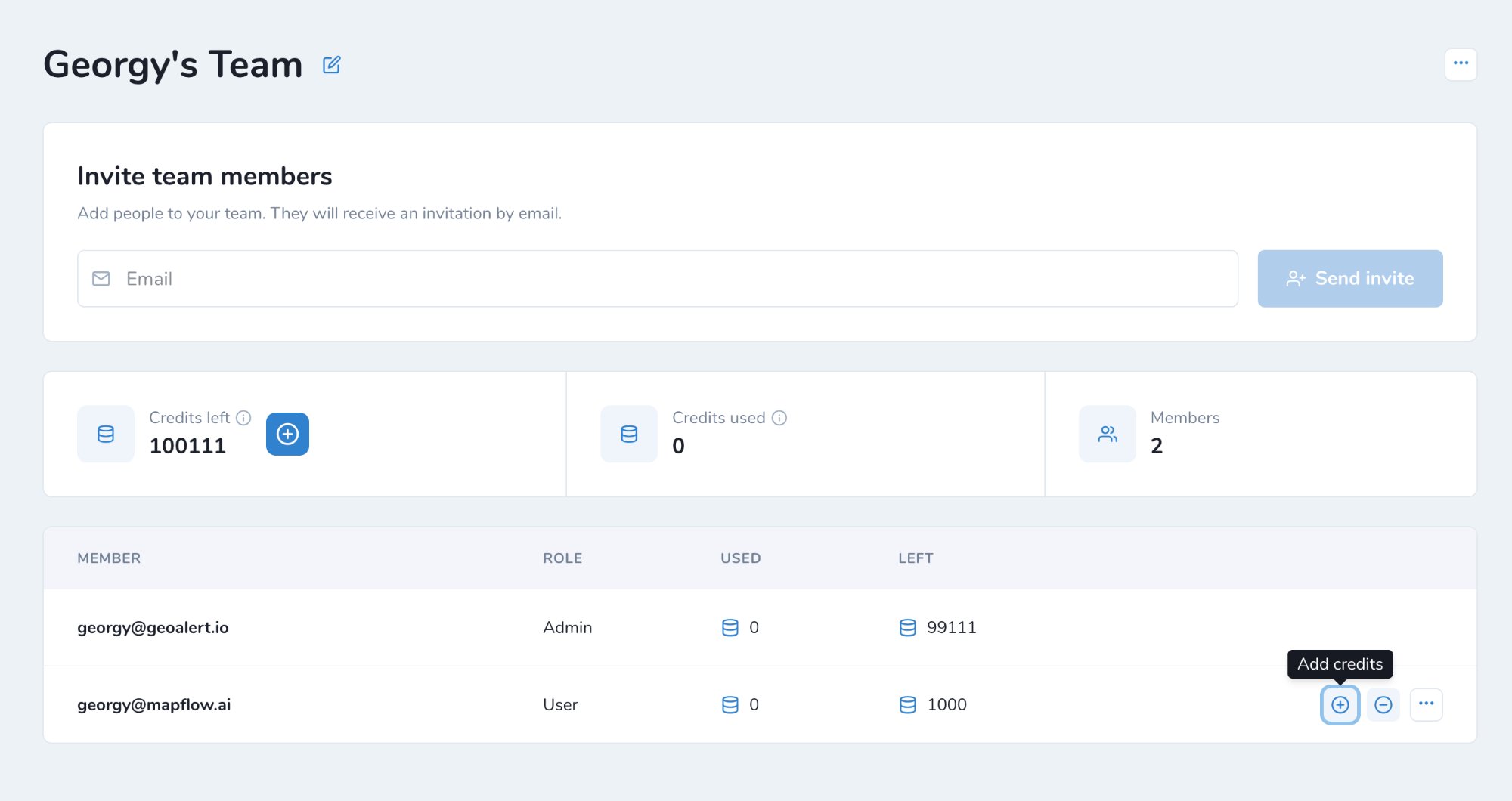
Add credits (+) – move credits from the Admin’s balance to a user.
Withdraw credits (-) – take credits back from a user to the Admin’s balance.
At the top of the page you can see:
Credits left – credits remaining in the Team. Click + to top up the Team balance.
Credits used – credits spent by the Team.
Members – number of Team members.
The members list shows each member’s role, credits Used and credits Left.
Both your Team balance and personal balance are displayed in the header.
Примечание
If your Team account is switched to area-based billing, the only difference is that the balance is managed in sq. km.
Предоставление доступа к проекту в Команде
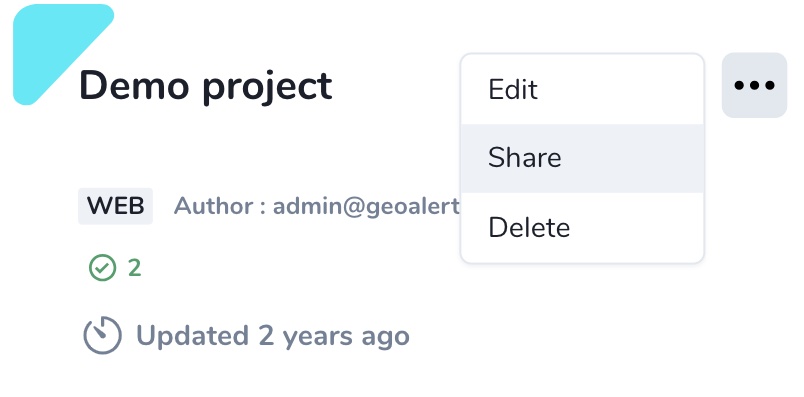
Вы можете поделиться проектом с любым участником команды и назначить ему роль. Перейдите в Проекты. Нажмите на значок меню в карточке проекта — Поделиться.
Выберите сотрудников или включите переключатель «Всем в команде», если хотите поделиться со всеми.
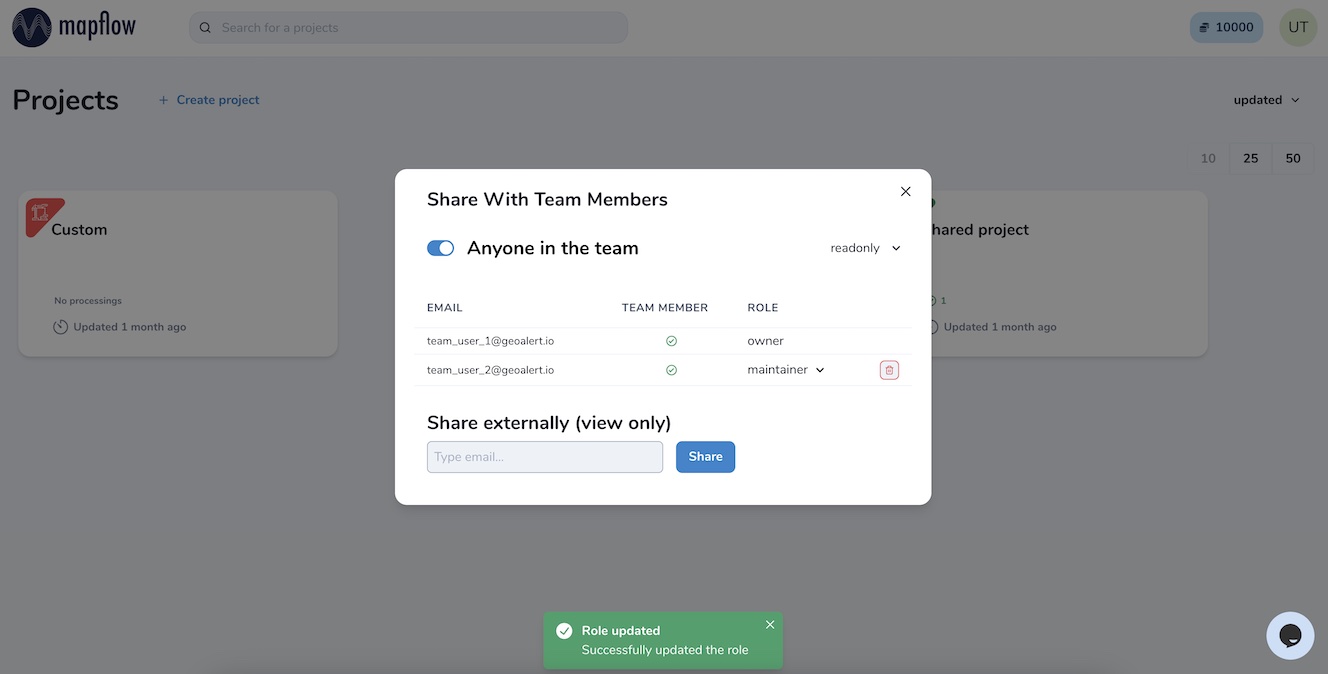
Существуют четыре типа роли пользователя в проекте, которые можно назначить вашим сотрудникам:
readonly — может просматривать историю проекта и результаты
contributor — может запускать обработки в проекте
maintainer — может запускать и редактировать обработки, а также делиться проектами с пользователями (вплоть до роли maintainer)
owner — полные права на редактирование всех ролей в проекте
Ваши сотрудники увидят новые проекты, которыми вы поделились, на своей панели мониторинга и будут использовать их в соответствии с назначенной ролью.
Примечание
Вы также можете поделиться проектом с любыми пользователями за пределами команды для доступа только на просмотр. Перейдите в Проект — Поделиться и введите email зарегистрированного пользователя Mapflow. Если новый пользователь не зарегистрирован на Mapflow.ai, сначала пригласите его зарегистрироваться.