团队账户
A Team lets you work together with your coworkers: invite them, share projects and spend credits from one shared balance.
Open Team in the main menu on the left (sidebar).
注解
We highly encourage you to use a Team if you work with other coworkers and manage multiple projects. Feel free to contact our support, so we can assist you in setting up a Team workflow.
How it works
There are two roles in a Team:
Admin – invites users and manages the Team balance. The Admin's balance is the Team's balance.
User – joins the Team by invitation and spends the Team's credits.
Invite team members
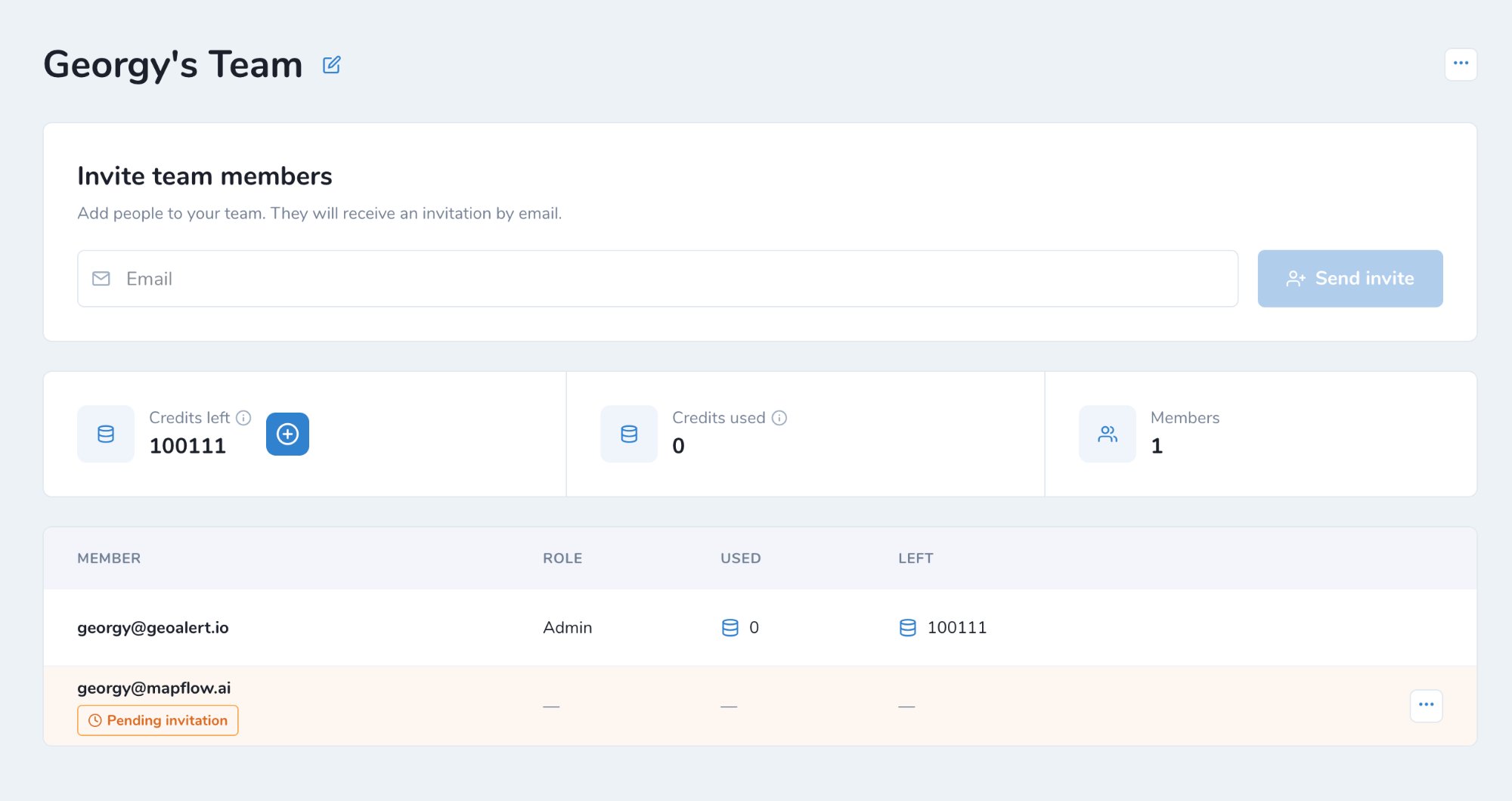
Enter the user's email in Invite team members.
Click Send invite. The user receives the invitation by email.
Until the user accepts it, they are shown in the members list as Pending invitation.
注解
If the user is not registered at Mapflow yet, they can join the Team after signing up.
Join a Team
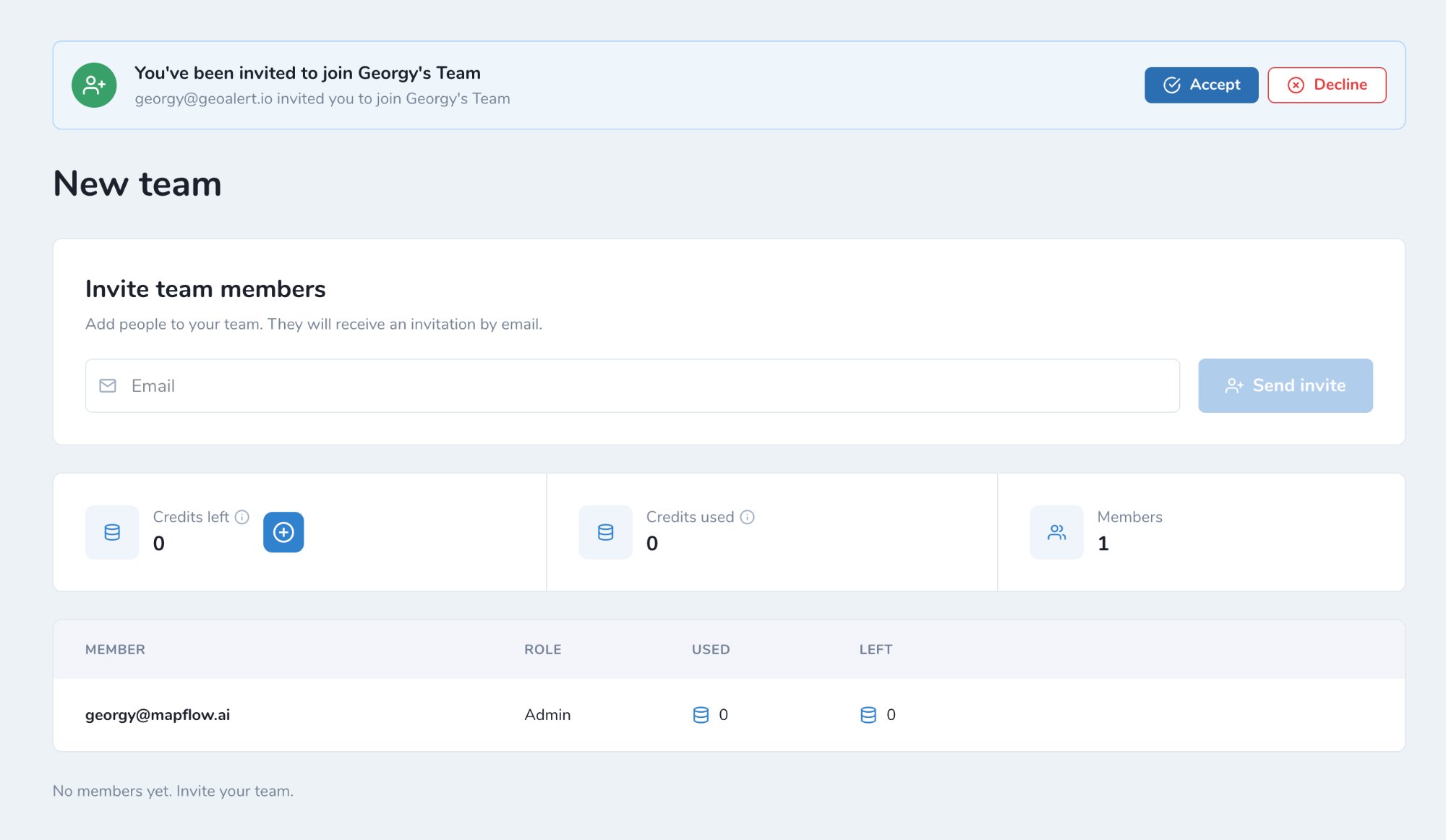
The invited user sees the invitation at the top of the Team page.
Click Accept to join the Team, or Decline to reject the invitation.
After joining the Team:
You spend the Team's credits.
Your personal balance stays untouched.
You can't create your own Team as long as you stay in this one.
Manage Team balance
The Admin manages the balance of the whole Team:
Add credits (+) – move credits from the Admin's balance to a user.
Withdraw credits (-) – take credits back from a user to the Admin's balance.
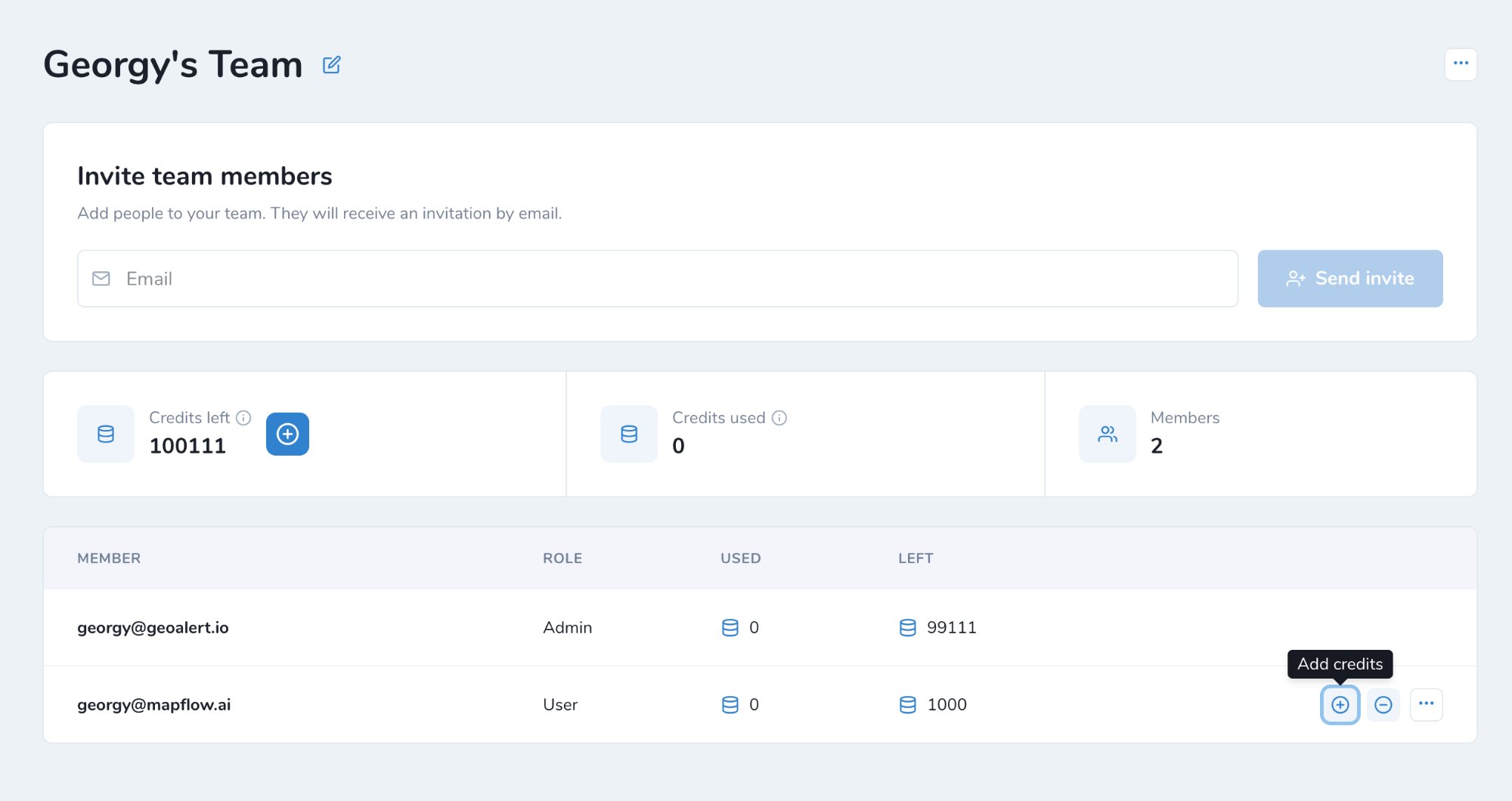
At the top of the page you can see:
Credits left – credits remaining in the Team. Click + to top up the Team balance.
Credits used – credits spent by the Team.
Members – number of Team members.
The members list shows each member's role, credits Used and credits Left.
Both your Team balance and personal balance are displayed in the header.
注解
If your Team account is switched to area-based billing, the only difference is that the balance is managed in sq. km.
团队中的项目共享
您可以与团队中的任何人共享您的项目,并根据需要分配他的角色。转到项目。单击项目卡中的点菜单图标 - 共享。
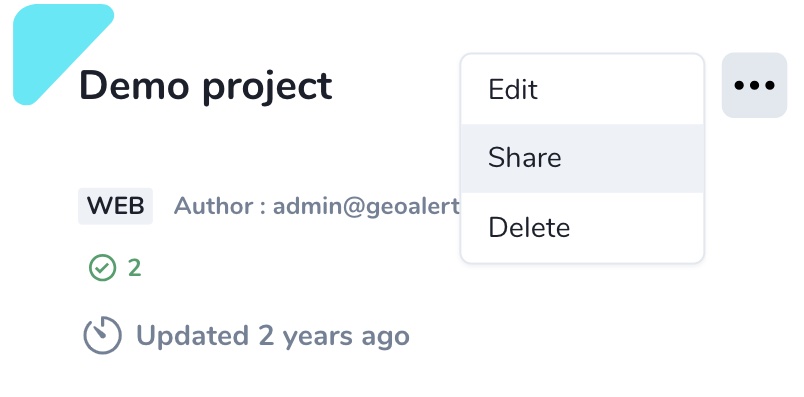
如果您想与所有人共享,请选择您的同事或切换“团队中的任何人”。
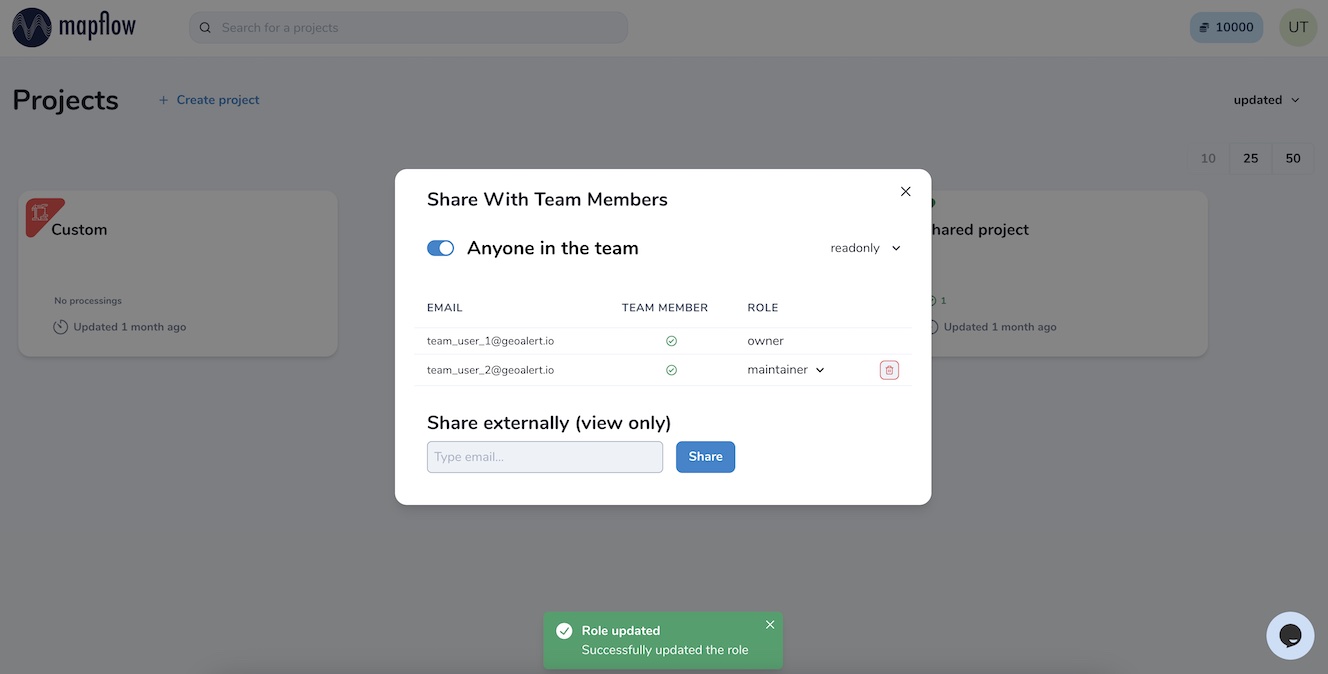
可以分配给您的同事的项目用户角色有四种类型:
只读 - 可以查看项目历史记录和结果
贡献者 – 可以运行项目中的工作流程
维护者 – 可以运行和编辑工作流程,并与用户共享项目(最高可达维护者角色)
所有者 – 编辑项目中所有角色的完全权限
您的协作者将在他们的仪表板中看到新的共享项目,并根据分配的角色使用它们。
注解
您还可以与团队外部的任何用户共享您的项目,以进行仅查看访问。转到项目 - 共享并输入现有 Mapflow 用户的电子邮件。如果新用户未在 Mapflow.ai 注册,请先邀请他注册。