Buildings
Buildings Default model
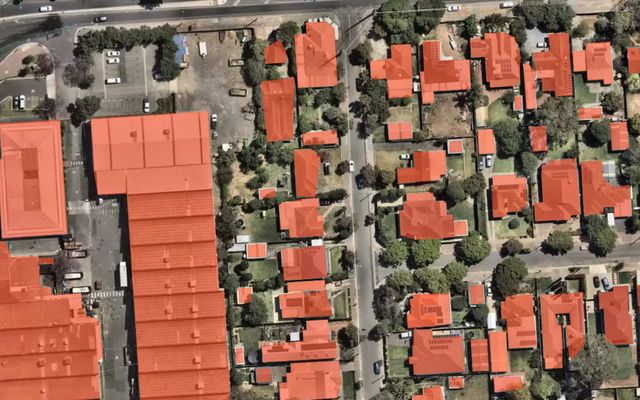
Example result: one polygon per building roof.
Cost
10 credits per km² + imagery
Example: 10 km² on Mapbox zoom 18 ≈ 130 credits. Your own imagery costs nothing.
Finds building roofs on high-resolution imagery and returns one polygon per building. Objects under 20 m² are dropped to keep the layer clean. Building types, heights and cleaner shapes are options you switch on when you start a run.
What you get
A polygon layer of building roofs.
Works best with
Aerial or satellite imagery at 0.6–0.3 m per pixel (zoom 18).
Usage examples
Refresh a municipal building layer before a field survey
Count structures in a settlement for planning or emergency response
Find parcels with new or missing buildings
- Version
2026-07-06
- Geo domain
Global
- Method
Segmentation
- GSD / zoom
0.6–0.3 m / z18
Scenarios with this model
Each scenario is the Buildings model with one option switched on. Choose options in the run form of Mapflow Web or the QGIS plugin.
Default run
Roof outline of every building in your area, as editable polygons.
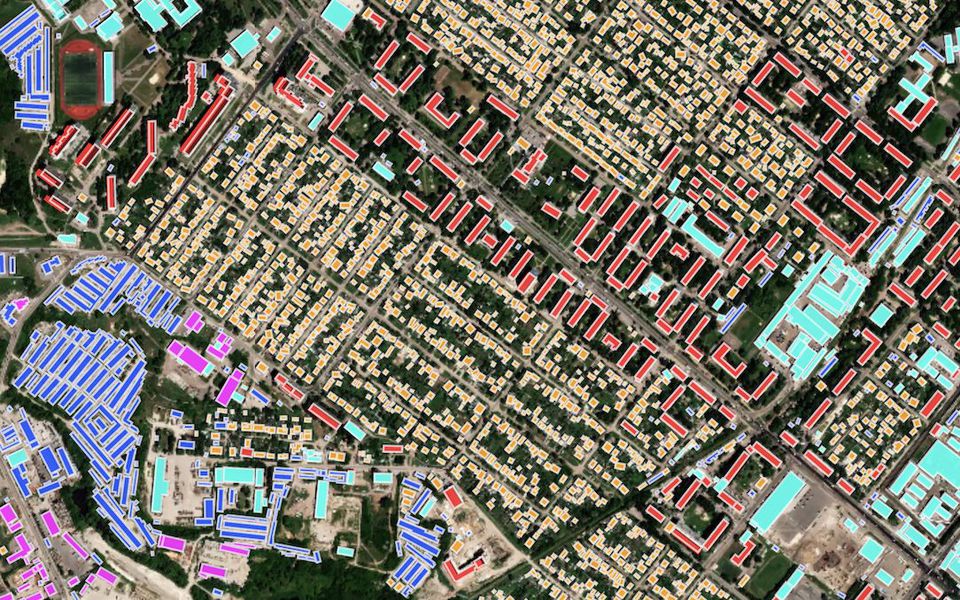
+ Building types
Every building polygon carries a type, ready to filter and style.
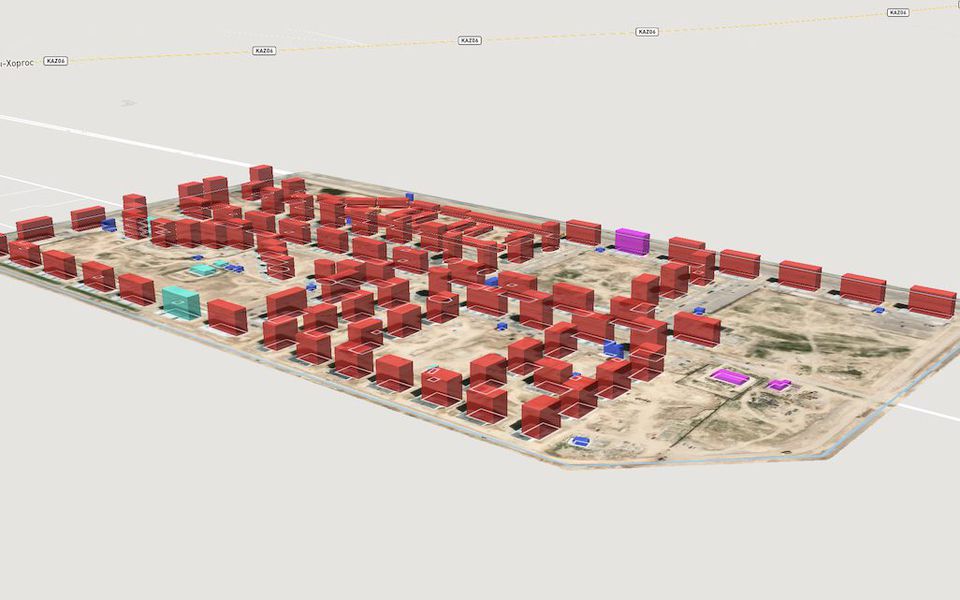
+ Heights (beta)
A height for each building, with the outline moved from roof to ground.
Sort buildings by type
Buildings + Building types
Cost
10 credits per km² + imagery
Example: 10 km² on Mapbox zoom 18 ≈ 130 credits. Your own imagery costs nothing.
Runs the Buildings model with classification switched on, so each roof polygon gets a building class. Classification adds no extra cost.
What you get
Building polygons with a class attribute.
Works best with
Aerial or satellite imagery at 0.6–0.3 m per pixel (zoom 18).
Usage examples
Compare residential and non-residential stock by district
Pull industrial and commercial sites into their own layer
Feed zoning and land-use analysis with fresh data
The full list of types is in the building classes reference.
Building heights and 3D footprints
Buildings + Heights (beta)
Cost
20 credits per km² + imagery
Example: 10 km² on Mapbox zoom 18 ≈ 230 credits. Your own imagery costs nothing.
Adds a height model that reads shadow length and visible walls. The result is a 3D footprint: the building contour projected to ground level instead of the roof outline.
What you get
Footprint polygons with a height attribute, ready for the QGIS 3D map view.
Works best with
0.6–0.3 m imagery (zoom 18) with visible shadows. Helps most on oblique imagery, where roofs look shifted.
Usage examples
Extrude buildings in the QGIS 3D map view
Estimate floor area and building volume
Screen areas for shade and line-of-sight studies
The model does not see footprints directly, because walls hide them in the image. Like a cartographer, it moves the roof outline down to the bottom of the wall.
All options
Note
Buildings smaller than 20 m² are removed from the result to avoid clutter.
📊 Benchmarks
Buildings v.2026-07-06 (Global, segmentation, 0.3 m / z19) was evaluated against manually annotated ground truth. Metrics are area-based: IoU is the intersection-over-union of the predicted and ground-truth building masks, and F1, precision and recall are computed on the overlapping mask area.
AOI (location) |
Predicted features |
IoU |
F1 |
Precision |
Recall |
|---|---|---|---|---|---|
United States — Fort Myers |
65 |
0.907 |
0.951 |
0.983 |
0.921 |
United States — Phoenix |
47 |
0.903 |
0.949 |
0.944 |
0.953 |
Canada — Rigaud |
103 |
0.870 |
0.930 |
0.934 |
0.927 |
Australia — Adelaide |
92 |
0.868 |
0.929 |
0.914 |
0.945 |
New Zealand — Lower Hutt |
106 |
0.867 |
0.929 |
0.956 |
0.903 |
New Zealand — Wellington |
76 |
0.838 |
0.912 |
0.900 |
0.924 |
United Kingdom — London |
68 |
0.813 |
0.897 |
0.873 |
0.922 |
Côte d’Ivoire — Bangolo |
102 |
0.663 |
0.797 |
0.844 |
0.755 |
South Africa — Worcester |
156 |
0.592 |
0.744 |
0.867 |
0.651 |
Aerial (mean of 9 AOIs) |
815 |
0.813 |
0.893 |
0.913 |
0.878 |
Area-based IoU / F1 / Precision / Recall measured against ground-truth building masks; evaluation run 2026-06-13.
AOI (location) |
Predicted features |
IoU |
F1 |
Precision |
Recall |
|---|---|---|---|---|---|
Russia — Ufa |
426 |
0.821 |
0.902 |
0.897 |
0.907 |
Saudi Arabia — Riyadh |
225 |
0.817 |
0.899 |
0.920 |
0.879 |
India — Bangalore |
508 |
0.779 |
0.876 |
0.859 |
0.894 |
India — Thane |
429 |
0.768 |
0.869 |
0.889 |
0.849 |
United Arab Emirates — Abu Dhabi |
142 |
0.751 |
0.858 |
0.828 |
0.890 |
Satellite (mean of 5 AOIs) |
1730 |
0.787 |
0.881 |
0.879 |
0.884 |
Area-based IoU / F1 / Precision / Recall measured against ground-truth building masks; evaluation run 2026-06-16.
See also
📊 See per-location benchmark details for the area-by-area breakdown of both sets, the comparison with the previous version and prediction-vs-ground-truth overlays.
Need a different object?
We train custom models on your imagery and classes, and connect them to your Mapflow account.